
NCB Email Verification
Secure Email Verification for WordPress Forms, Registrations and WooCommerce
About
NCB Email Verification
Every website depends on one simple piece of information more than anything else: a valid email address. Whether someone is contacting you through a form, registering for an account, subscribing to a newsletter, or placing an order in WooCommerce, the email address becomes the primary communication channel. Unfortunately, it is also one of the easiest fields to abuse.
Visitors accidentally mistype their email addresses. Bots generate fake registrations using random values. Disposable email services allow users to create temporary addresses that disappear within minutes. These problems lead to bounced emails, failed password resets, abandoned customer accounts, unreliable mailing lists, unnecessary support requests, and poor data quality throughout your website.
NCB Email Verification solves this problem by ensuring that every email address is verified before a form submission, registration, or checkout is accepted.
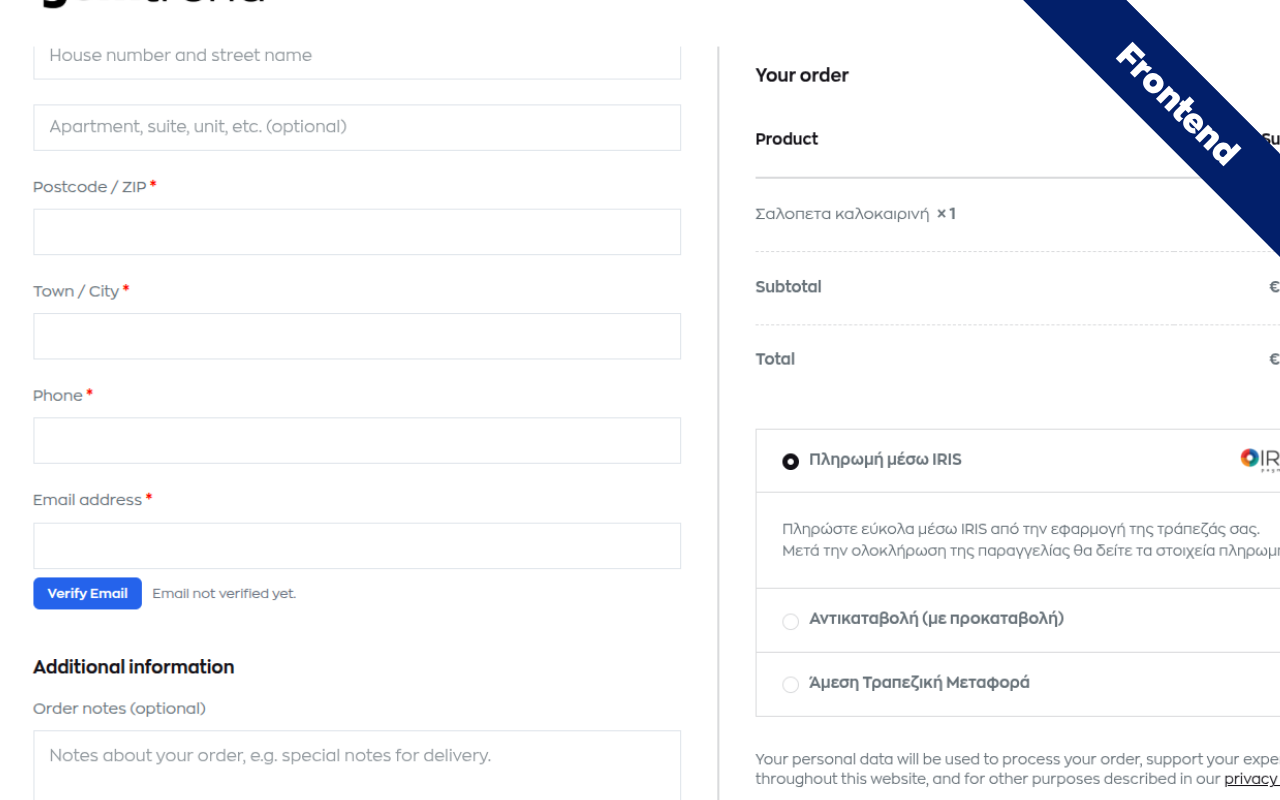
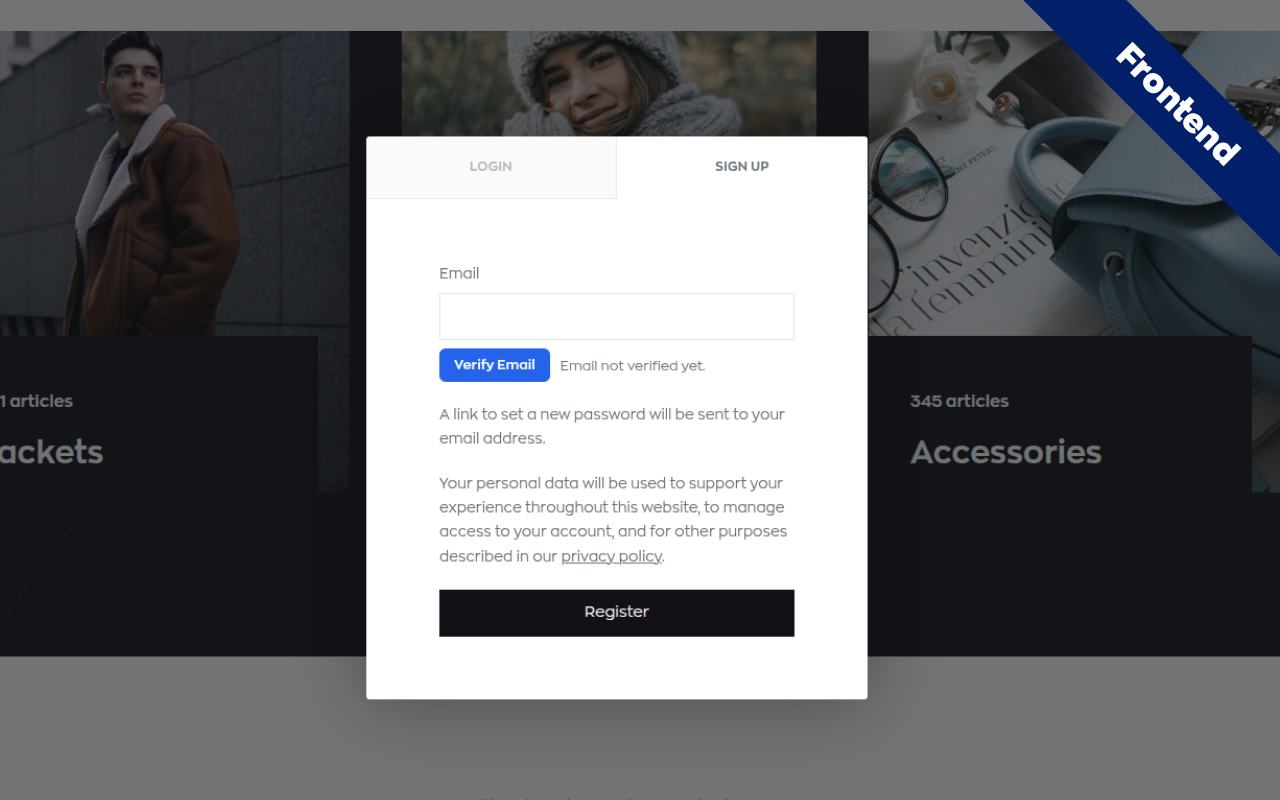
Instead of simply checking whether an email address looks valid, the plugin requires visitors to prove they actually own the mailbox. When an email address is entered, the submit button remains locked until verification is successfully completed. The visitor receives a verification email containing both a secure one-click verification link and a six-digit verification code. Once ownership is confirmed, the form unlocks automatically and the submission can continue.
Unlike many verification solutions that rely only on JavaScript, NCB Email Verification also enforces verification on the server. Even if someone disables JavaScript, submits requests manually, or attempts to bypass the browser using external tools, the submission is rejected unless a valid verification record exists. This server-side protection makes bypass attempts ineffective and provides a much higher level of security.
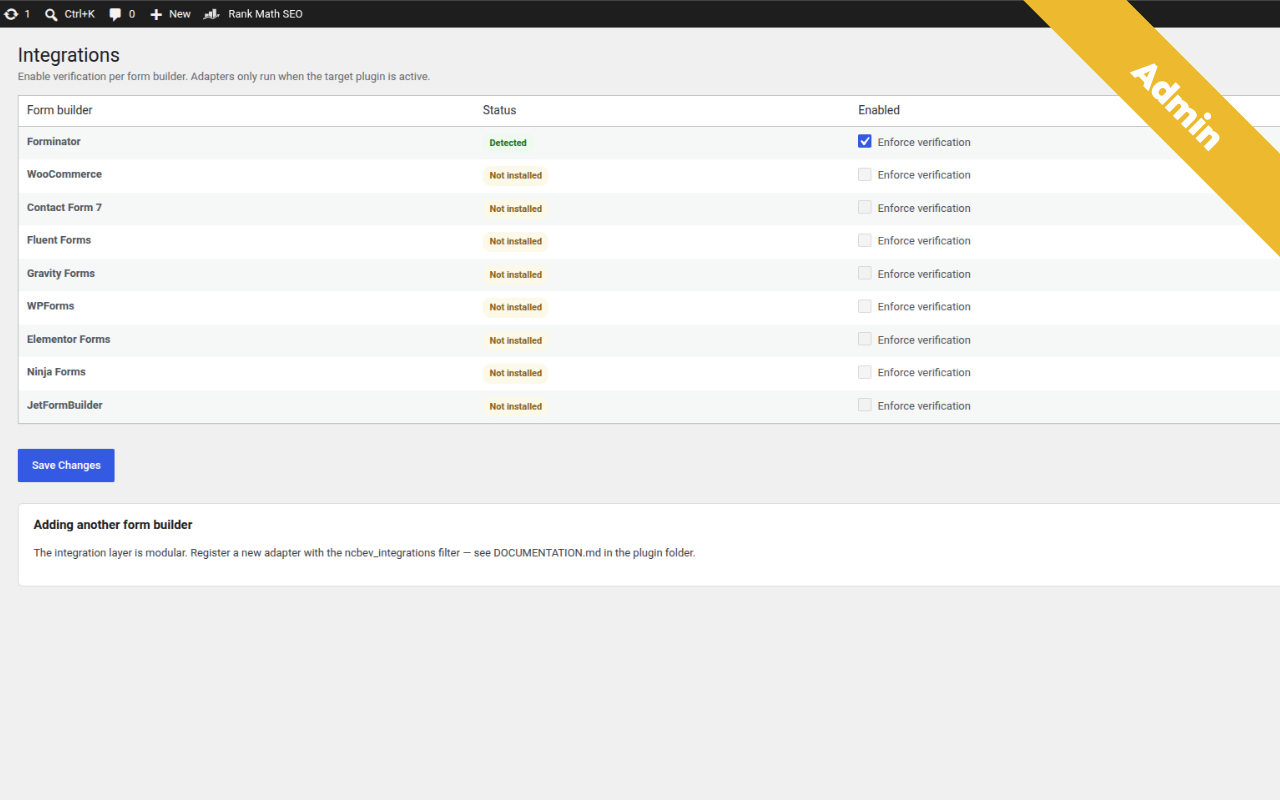
The plugin integrates directly with many of the most popular WordPress form builders. Free integrations include Forminator, Contact Form 7, Fluent Forms, WPForms, Elementor Forms, and Ninja Forms. The Professional edition extends support to WooCommerce, Gravity Forms, and JetFormBuilder, allowing stores and advanced websites to protect customer registrations, checkout processes, and account creation with exactly the same verification workflow.
Verification is only one part of the protection system. Before an email is even sent, the plugin performs several quality checks to help identify suspicious or low-quality addresses. It validates DNS and MX records, detects hundreds of known disposable email domains, identifies role-based mailboxes such as info@ or admin@, checks SPF and DMARC availability, and provides intelligent typo suggestions when common mistakes are detected. These checks are combined into a Trust Score that helps evaluate the overall quality of every email address.
Website owners can define a minimum acceptable Trust Score. Addresses falling below that threshold can be rejected immediately without sending a verification email, helping reduce spam, fake registrations, and unnecessary server activity. All checks are performed by your own website without transmitting visitor information to third-party validation services, helping preserve user privacy and giving you complete control over your data.
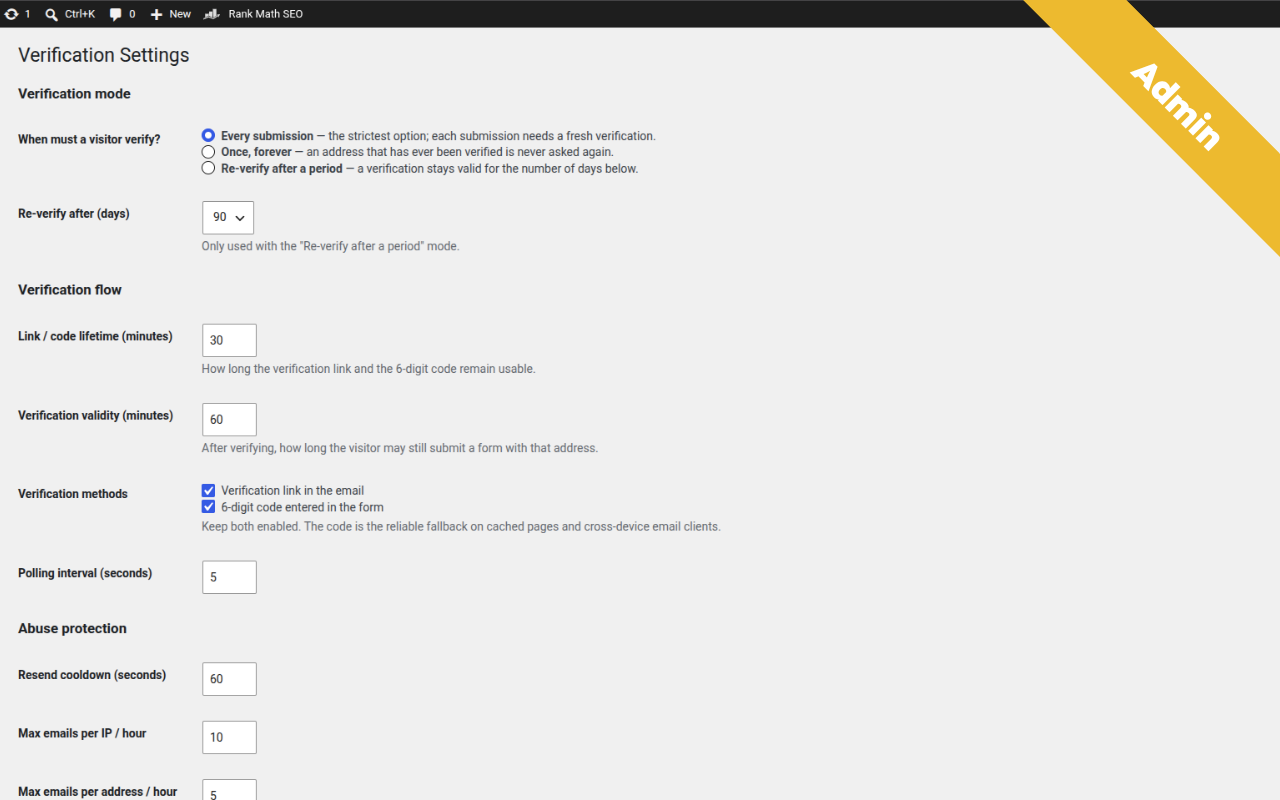
Different websites require different verification strategies, so the plugin offers multiple verification modes. You can require verification before every submission for maximum security, verify each visitor only once and remember them permanently, or request re-verification after configurable periods such as 30, 90, 180, or 365 days. This flexibility allows businesses to balance security with user convenience.
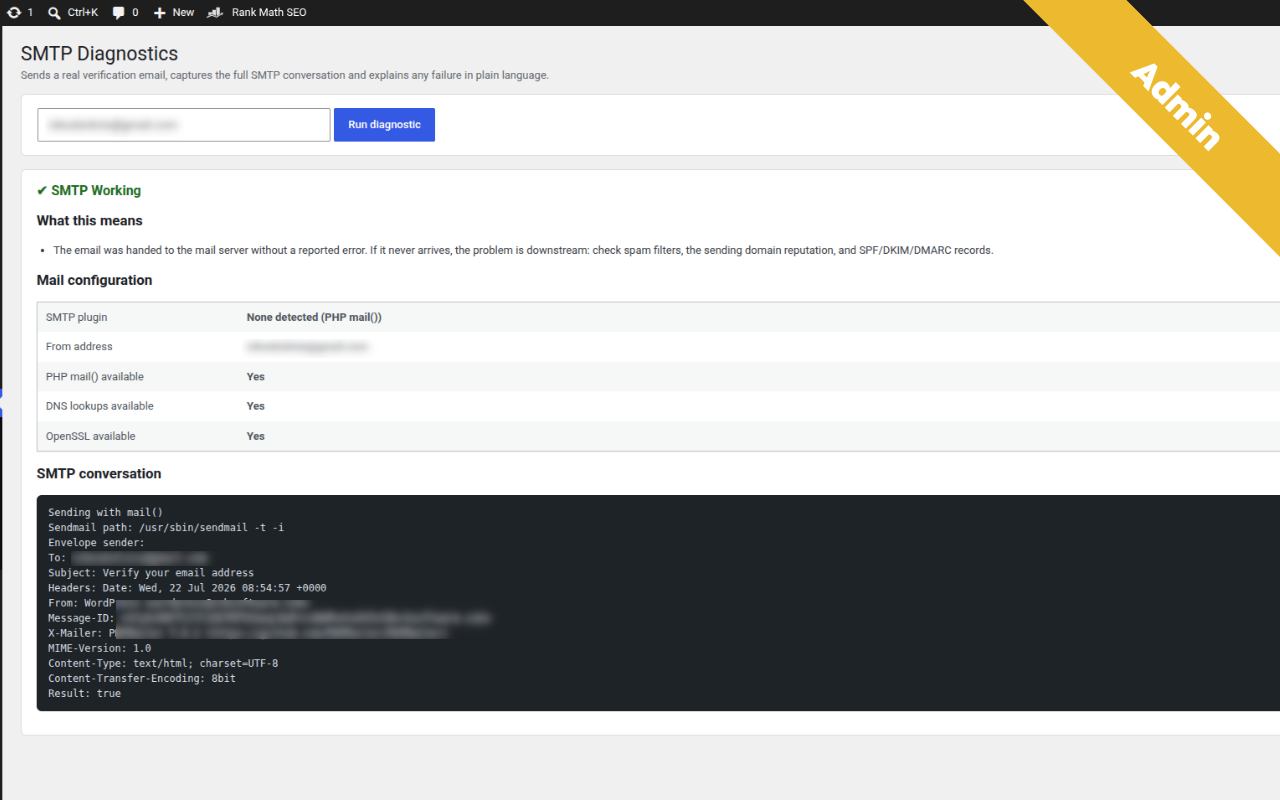
Email delivery is equally important. Even the best verification system is ineffective if emails never reach the recipient. For this reason, NCB Email Verification includes a built-in SMTP Diagnostic Centre that helps administrators verify email delivery, identify configuration problems, and troubleshoot common SMTP issues without installing additional plugins.
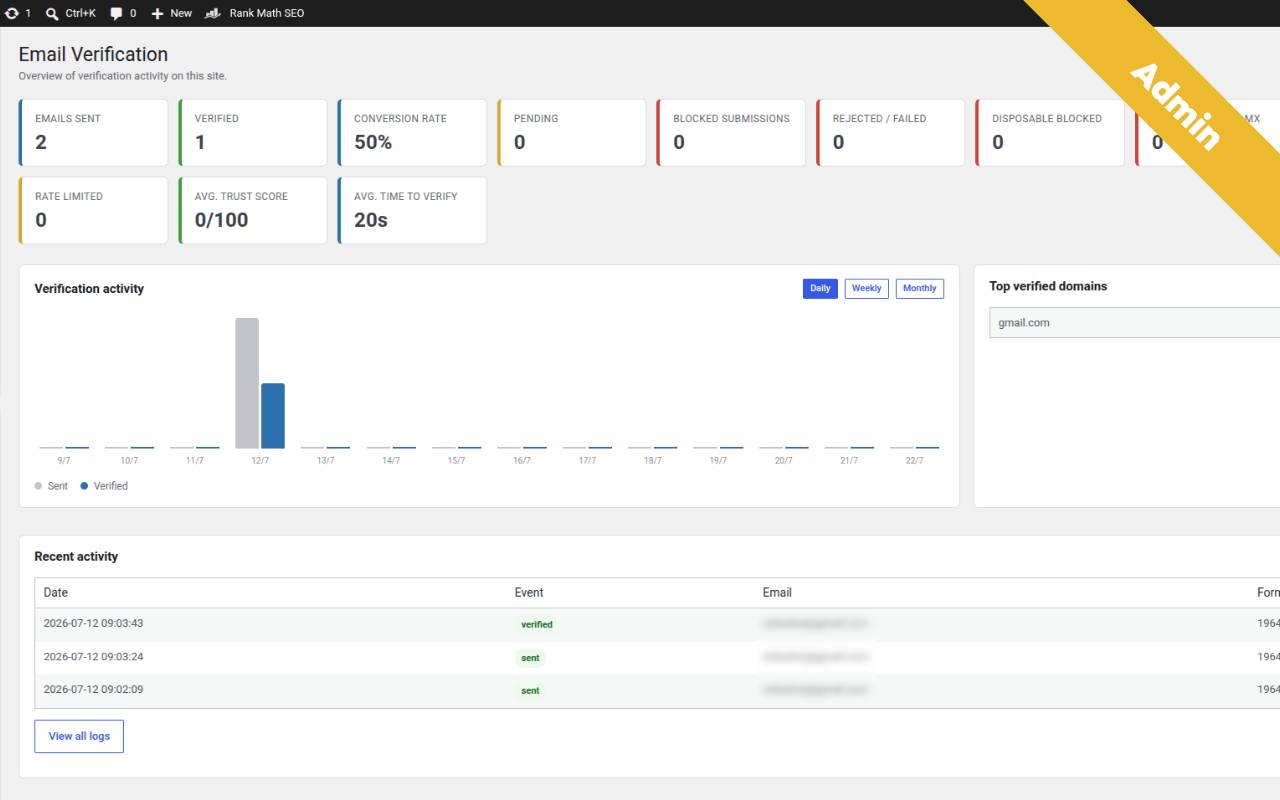
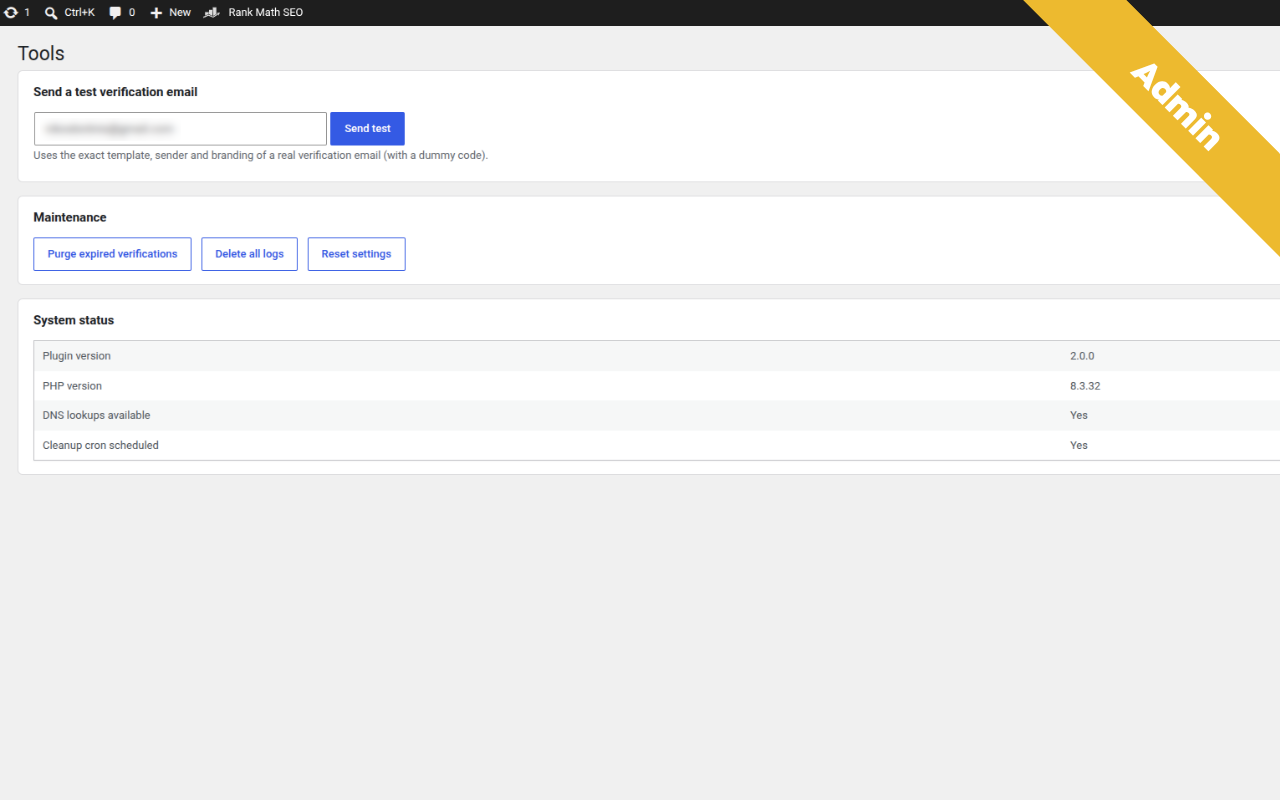
The plugin also includes detailed verification logs, statistics dashboards, rate limiting, export capabilities, and administrative tools that help monitor activity across your website. CSV export is available in the free version, while the Professional edition adds Excel and PDF exports together with additional reporting capabilities.
For agencies, developers, and businesses managing client websites, the Professional edition introduces white-label functionality, allowing complete customization of branding, colors, verification pages, and user-facing messages. A REST API is also available for integrating verification into custom applications and external systems.
Performance has been a priority throughout development. Each integration loads only when its corresponding plugin is active, keeping unnecessary code from running and minimizing resource usage. The plugin follows WordPress coding standards, uses native APIs whenever possible, and is designed to work alongside existing workflows without interfering with unrelated functionality.
Whether you operate a WooCommerce store, collect leads through contact forms, manage customer registrations, or simply want cleaner and more reliable data, NCB Email Verification provides a practical, privacy-friendly solution that significantly improves email quality while reducing spam, fake accounts, and support overhead. By ensuring that every verified email address belongs to a real person with access to that inbox, your website gains more reliable customer communication, healthier mailing lists, and better overall data integrity.
Overview
NCB Email Verification is a powerful WordPress plugin that verifies email ownership before form submissions, registrations and WooCommerce actions. It helps prevent fake registrations, disposable email addresses, spam submissions and invalid customer data through secure email verification and server-side protection.
NCB Email Verification
Email verification is one of the most effective ways to improve the quality of data collected through your WordPress website. Whether you manage contact forms, customer registrations, WooCommerce accounts or newsletter subscriptions, verifying that every email address belongs to a real user helps reduce spam, prevent fake registrations and improve communication with your visitors.
NCB Email Verification is a complete email verification solution for WordPress that combines real email ownership verification with intelligent email quality analysis. Instead of relying only on basic email validation, the plugin verifies that users actually have access to the mailbox before allowing them to continue.
Verify email ownership before submission
When a visitor enters an email address, the plugin sends a verification email containing a secure verification link and a six-digit verification code.
Until verification is completed:
- The submit button remains disabled.
- The form cannot be submitted.
- Server-side validation prevents bypass attempts.
- Fake or unverified email addresses are rejected.
This workflow ensures that every accepted submission comes from a verified email owner.
Designed for WordPress
NCB Email Verification integrates with popular WordPress plugins, making implementation simple without modifying your existing forms.
Supported integrations include:
- Forminator
- Contact Form 7
- Fluent Forms
- WPForms
- Elementor Forms
- Ninja Forms
The Professional version also supports:
- WooCommerce
- Gravity Forms
- JetFormBuilder
More than email verification
The plugin performs multiple validation checks before verification begins.
These include:
- Disposable email detection
- DNS validation
- MX record verification
- SPF detection
- DMARC detection
- Role-based email detection
- Typo suggestions
- Email Trust Score analysis
These checks help identify suspicious or low-quality email addresses before they become part of your database.
Flexible verification policies
Different websites require different security levels.
NCB Email Verification allows administrators to choose how verification should behave:
- Verify every submission.
- Verify only once.
- Request verification again after a configurable period.
- Define minimum Trust Score requirements.
- Configure verification emails and messages.
This flexibility allows websites to balance security and user experience.
Built with security in mind
Unlike plugins that depend entirely on browser-side validation, NCB Email Verification also validates every submission on the server.
Even if someone attempts to bypass JavaScript or manually submit requests, verification is still required before the submission is accepted.
This significantly improves protection against automated spam and malicious requests.
Monitoring and administration
Administrators have access to useful management tools, including:
- Verification logs
- Statistics dashboard
- CSV export
- SMTP Diagnostic Centre
- Verification history
- Rate limiting
The Professional version adds additional export formats, White Label functionality and REST API support for custom integrations.
Privacy first
NCB Email Verification is designed with privacy in mind.
Visitor email addresses are processed by your own WordPress installation without relying on external email verification services for core verification. This gives website owners greater control over their data while helping maintain compliance with modern privacy requirements.
Why choose NCB Email Verification?
If you want to improve data quality, reduce fake registrations, stop disposable email addresses and collect verified email contacts, NCB Email Verification provides a reliable and easy-to-use solution for WordPress.
From simple contact forms to WooCommerce stores and membership websites, the plugin helps ensure that every verified email address belongs to a real person, creating cleaner databases, more reliable communication and a better experience for both administrators and users.
Who it's for
Perfect for businesses, WooCommerce stores, membership websites, agencies, developers and anyone who wants to collect verified email addresses. Whether you use contact forms, customer registrations, newsletter signups or checkout forms, NCB Email Verification ensures every submitted email belongs to a real user.
How it works
Visitors enter their email address and receive a verification email containing a secure verification link and a six-digit code. The submit button remains disabled until the email address has been successfully verified. Verification is enforced on both the client and server side, preventing JavaScript bypasses and fake submissions while improving data quality and reducing spam.
Features
- Real Email Ownership Verification Ensures users verify ownership of their email address before submitting forms or creating accounts.
- Server-Side Verification Protection Prevents JavaScript bypasses by validating every verification request on the server.
- One-Click Link & 6-Digit Verification Code Users can verify their email using either a secure verification link or a six-digit code.
- Disposable Email Detection Detects and blocks temporary or disposable email addresses before verification begins.
- Email Trust Score Calculates a Trust Score based on multiple validation checks to assess email quality.
- DNS, MX, SPF & DMARC Validation Verifies domain configuration to help identify invalid or suspicious email addresses.
- Verification Logs & Statistics Monitor verification activity with detailed logs and a built-in statistics dashboard.
- WooCommerce Integration (Pro) Protects customer registrations and WooCommerce workflows with mandatory email verification.
- REST API & White Label (Pro) Integrate with custom applications and customize branding for agency and client deployments.
Screenshots
Pricing
From 59/y
Get it now- Version: 3.1.6
- Requires WP: 6.2+
- Requires PHP: 8.1+
FAQ
Can someone bypass this by disabling JavaScript?
No. Locking the submit button is only the visible part. Every submission is independently re-checked on the server against the database. Without a valid verification record, the submission is rejected regardless of what the browser did.
Does it work with page caching?
Yes. Verification state is stored in the database and keyed to a hash of the email address — not to a cookie or session — so full-page caches and object caches cannot break it. The 6-digit code path works even on a fully cached page with a stale nonce.
What if the visitor opens the email on their phone?
Either they click the link (the form still open on their computer polls and unlocks within seconds) or they type the 6-digit code into the form. Both paths work across devices.
Will my logged-in WooCommerce customers have to verify at every checkout?
No. A logged-in customer using their own account email is trusted automatically. You can change that with the ncbevtrustloggedinemail filter.
Does it call any external API?
No. DNS checks, trust scoring, geolocation and device detection all run on your own server. Nothing about your visitors is sent anywhere.
Will it work with my SMTP plugin?
Yes. Mail is sent through wp_mail(), so WP Mail SMTP, FluentSMTP, Post SMTP and others are used automatically. The diagnostic screen detects which one you have.
Is the free version limited in how many emails it can verify?
No. There is no quota and no cap. A verification gate that stops working after N submissions would either break your forms or let unverified addresses through — neither is acceptable in a security plugin. The free version is limited by which form builders it supports, never by usage.
Can I add a form plugin that is not on the list?
Yes. Register an adapter through the ncbev_integrations filter — a working example is in docs/DOCUMENTATION.md.
Documentation
Full setup and usage guide for this plugin.
Open documentation →