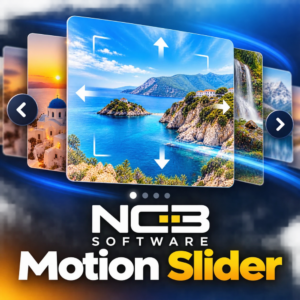
NCB Motion Slider
Cinematic, GPU-accelerated hero slider for WordPress — no page builder required
Overview
NCB Motion Slider turns any page into a polished hero section. Build multiple sliders from Custom Post Types, each with unlimited slides, cinematic transitions and motion effects, and drop them anywhere with a single shortcode. It’s dependency-free (vanilla JS, no jQuery), translation-ready and theme-proof — your banners look the same no matter what theme or builder you run.
NCB Motion Slider is a premium hero/cinematic image slider built on Custom Post Types. Every slider supports unlimited slides with drag-to-reorder, and four transitions — fade, slide, crossfade and tiles (mosaic) — that can be set per slide or per slider. Each slide fades in smoothly over the previous one, with no dip or abrupt cut.
It’s built for the real world: independent desktop and mobile artwork (with portrait cropping on phones), independent content position and font sizes per device, theme-proof text colours for every element, an adjustable readability overlay and directional text shadow. You get arrows, dots, autoplay, pause-on-hover, touch swipe and keyboard navigation out of the box, plus scheduling (start/end dates), full accessibility and reduced-motion support.
The free version already includes Ken Burns, zoom and pan image effects, content entrance animations, and all transitions. Pro adds a modular engine of 12 advanced motion effects — 3D Post Zoom, Mouse Parallax, Floating, Scroll Zoom, Perspective Tilt, Reveal, Glass Motion, Smooth Camera Move, Focus Zoom, Cinematic Pan, Rotate + Zoom and Fade Depth — each GPU-accelerated and loaded only on the pages that use it. If a Pro licence lapses, your sliders fall back gracefully and your saved motion settings are kept, ready to return the moment you renew.
Who it's for
For hotels, travel agencies, restaurants, corporate sites and landing pages — anyone who needs a fast, good-looking hero banner without wrestling a heavy page builder. Whether you’re a site owner placing one slider on your homepage or an agency managing banners across client sites, the workflow is the same: create, add slides, paste the shortcode.
How it works
1. Create a slider under the NCB Motion Slider menu and add as many slides as you want, reordering them by drag-and-drop.
2. For each slide set desktop and mobile artwork, text, colours, transition and (on Pro) a motion effect.
3. Place it on any page with the shortcode [ncb_motion_slider id="ID"].
That’s it — no builder, no shortcode spaghetti, no theme conflicts.
Features
- Multiple sliders Build as many sliders as you need, each with unlimited slides and drag-to-reorder.
- Four transitions Fade, slide, crossfade and tiles (mosaic), set per slide or per slider.
- Smooth fade-in Each slide fades in over the previous one, with no dip or abrupt cut.
- Separate mobile artwork Independent desktop and mobile images, with portrait cropping on phones.
- Responsive content position Independent content placement per device, with per-axis pixel offsets.
- Responsive font sizes Independent desktop and mobile font sizes; leave blank to keep the fluid size.
- Image effects Built-in Ken Burns, zoom and pan effects on any slide.
- Content animations Entrance animations for text and buttons — fade, slide and zoom.
- Theme-proof colours Set title, subtitle, description, button and background colours that no theme can override.
- Readability overlay Adjustable 0–100% overlay plus directional text shadow for legible text over any image.
- Full navigation Arrows, dots, autoplay, pause-on-hover, touch swipe and keyboard control.
- Scheduling Show or hide slides automatically with start and end dates.
- Accessibility Reduced-motion support and keyboard-friendly markup out of the box.
- Lightweight Dependency-free vanilla JS — no jQuery, no bloat.
- Translation-ready Fully localisable and theme-proof on any site.
- Simple shortcode Drop a slider anywhere with [ncb_motion_slider id="ID"].
- 12 motion effects (Pro) Cinematic GPU-accelerated effects like 3D Post Zoom, Mouse Parallax, Scroll Zoom and more.
- On-demand loading (Pro) Each motion effect loads only on the pages that actually use it.
- Graceful expiry (Pro) If a Pro licence lapses, sliders fall back cleanly and saved motion settings return on renewal.
Pricing
From: 39€
Get it now- Version: 1.0.1
- Requires WP: 6.0+
- Requires PHP: 8.1+
FAQ
How do I show a slider on a page?
Create a slider under the NCB Motion Slider menu, copy the shortcode from the slider edit screen, e.g. [ncbmotionslider id="123"], and paste it into any page, post or block. No page builder is required.
Do I need a page builder or any other plugin?
No. NCB Motion Slider is fully self-contained - vanilla JavaScript, no jQuery and no third-party dependencies. It works with any theme and any builder.
Will my theme override the slider's text colours?
No. The colours you set for the title, subtitle, description, button and background are hardened so no theme can override them.
Can the mobile image differ from the desktop one?
Yes. Each slide has an optional portrait Mobile image, shown on screens up to 600px wide. If you leave it empty, the main image is used on every device.
Can text sit in a different place on mobile?
Yes. Content position, per-axis pixel offsets and font sizes all have independent desktop and mobile settings. Leave a font size blank to keep the fluid size.
The transition looks abrupt. How do I fix it?
Set a transition speed of about 600-900ms for a quick fade, or higher for a slower, cinematic pass. Each new slide fades in over the previous one, so there is no dip or hard cut.
What are Motion Effects, and how are they different from the Image Effect?
Motion Effects are an advanced, configurable animation layer (3D Post Zoom, Mouse Parallax, Floating, and more). Each slide can use one, with its own settings, under Motion > Motion Effects. They are separate from the classic Image Effect (Ken Burns, zoom, pan), which is always available and unchanged.
Do Motion Effects slow the site down?
No. Each effect's CSS and JavaScript load only on the pages where a slide actually uses that effect - nothing is loaded globally. All effects animate with GPU-friendly transforms and respect the visitor's reduced-motion preference.
What's the difference between the free version and Pro?
The free version includes everything you need for a complete hero slider: multiple sliders, all transitions, Ken Burns / zoom / pan image effects, content animations, responsive artwork and text, scheduling and accessibility. Pro adds a library of 12 advanced motion effects for a more cinematic result.
What happens to my sliders if my Pro licence expires?
Nothing is lost. Your sliders keep working and fall back to the standard look. Your saved motion-effect settings are preserved and return automatically the moment you renew - you never have to set them up again.
Is it translation-ready?
Yes. All strings are localisable and the plugin ships with a translation template, so it can be fully translated into any language.
Documentation
Full setup and usage guide for this plugin.
Open documentation →